


How to Use Your Trade Routes Store Credit Online
Log Into Your Account
To begin, you will need to sign into your account. Please use the email address associated with your Caravan Club membership or the one previously used for online card purchases.
The First step is to select the Login button.

Sign In
If you have a Shop account and that is tied to the same email address you use, you can “Continue with Shop”. If not, simply type your email in the provided box.

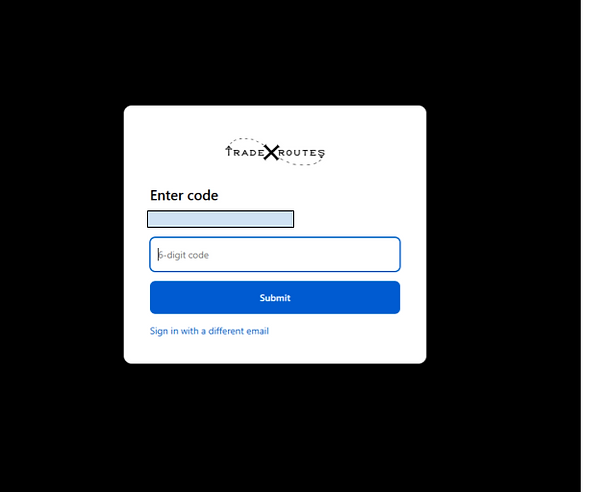
Enter Your 6-Digit Code
You will receive an email from info@traderoutes.games that has a six digit code. You will enter this code into the box and Continue.
Accessing Your Profile
Your account profile provides a comprehensive overview of your shopping history, displaying both your in-store and online orders. To view your store credit, simply select the "wallet-page" link or the "View My Wallet" button.

Your Digital Wallet
This screen displays your current store credit balance. To facilitate faster in-store transactions, you may utilize the provided QR code. Additionally, you have the option to integrate this wallet with Apple Wallet or Google Wallet for easy access, a process we will detail shortly.

Your Available Balance Header
Back on the stores landing page, which you can get to by clicking on the Trade Routes logo, you will now see a banner that tells you how much store credit you have.

In Your Cart
After you have completed your shopping and add all the cards you need to your cart, click the link in the banner that says “Apply Store Credit”.
Important Note: You must select this before you move on to the Checkout Page. You cannot add this credit from the Checkout Page.

Notice that after you apply your credit, the banner will change to “Applied to checkout”

The Checkout page
On the checkout page, you will now see your store credit has been applied in the form of a gift card. Also, on the “Total Due” line, your credit will have been deducted from your checkout total.
From here you can check out like normal. You can choose “Ship” or “Pickup” and select how you would like to pay for the remaining balance, if there is one.

Apple Wallet and Google Wallet
Back to this screen on your customer profile. If you would like to add your store credit to your Apple or Google Wallet you can by pressing one of these buttons. It is important to note that you must do this on your mobile device.

After selecting the button and following the prompts on your mobile device, your store credit will be accessible directly on your phone. This allows you to check your available balance at any time. Your credit balance grows with every purchase made at Trade Routes, whether you shop in-store or online. Caravan Club members enjoy a 3% return on their purchases, while non-members receive 1% back every time. If you haven't joined the Caravan Club yet, feel free to ask for more details during your next visit.
Your Personal Wallet
This is what your wallet will look like if you are an Apple user. Android users will have a very similar wallet card.
When you are making a purchase in the store, you can have us scan this QR Code to speed up your transaction!

If you have questions about your wallet or anything related to our store, give us a call at (918) 771-3811 or send us an email at info@traderoutes.games.
See you soon!!